 By
By In the world of home design, the ability to visualize how a space will look after a renovation, furniture rearrangement, or decoration change is invaluable. Thanks to advancements in technology, several home design apps now allow homeowners, renters, and interior designers to create digital mockups of their spaces. These apps enable users to plan layouts, test color schemes, and experiment with various furniture arrangements—all from the comfort of their devices. Here, we’ll explore some of the best home design apps available today, each offering unique features to help you visualize and perfect your living space.
1. SketchUp
SketchUp is a versatile 3D modeling software that caters to both beginners and professionals. It’s known for its user-friendly interface, making it an ideal choice for those who want to create detailed floor plans and 3D models of their homes. The app allows users to design anything from a single room to an entire building, complete with textures, lighting, and furniture. SketchUp’s powerful tools include precision drawing and the ability to work with multiple layers, offering the flexibility needed for intricate designs. For users looking to bring their creative vision to life, SketchUp also provides a library of pre-built objects and models, saving time and effort.
2. Houzz
Houzz is not only a home design app but also a comprehensive platform for interior design inspiration. With millions of high-quality images from real homes, Houzz provides users with a wide array of design styles, color schemes, and furniture ideas. The app’s “View in My Room” feature uses augmented reality (AR) to allow users to place virtual furniture in their spaces, helping them visualize how a new sofa, table, or other pieces will fit into their existing layout. Additionally, Houzz connects users with home improvement professionals, making it easy to find contractors, designers, and architects to help bring your design ideas to life.
3. Roomstyler 3D Home Planner
Roomstyler is an intuitive and highly regarded app for home design. Unlike many apps that focus solely on floor plans, Roomstyler offers a full 3D experience, allowing users to design rooms from the ground up. The platform is easy to navigate and offers a range of customization options, from floor textures to wall colors. One of Roomstyler’s standout features is its extensive library of furniture and decor items. You can drag and drop pieces into your design, then scale, rotate, and arrange them until you’ve achieved the perfect look. The app also allows users to experiment with lighting, allowing them to simulate how different times of day or types of light will affect the room’s ambiance.
4. Homestyler Interior Design
Homestyler is a well-rounded design app that combines ease of use with a variety of powerful features. It’s ideal for anyone who wants to quickly create realistic floor plans, experiment with furniture layouts, and visualize how their room will look with new colors, flooring, or wallpaper. The app offers both 2D and 3D views, allowing users to switch between different perspectives depending on their needs. Homestyler also boasts a robust library of furniture, materials, and decor items. Additionally, the app lets you upload photos of your own space to place virtual items into, making it a more personalized design tool.
5. Magicplan
Magicplan is an intuitive app designed to help users create accurate floor plans by simply using their smartphone camera. By scanning a room with your phone, Magicplan automatically generates a floor plan that can be edited to include doors, windows, and furniture. This app is a fantastic option for those who want to understand the scale and proportions of their space without spending hours on manual measurements. Magicplan also lets users visualize their plans in 3D, and it can generate cost estimates based on materials and labor, making it useful for more than just design—it’s a practical tool for budgeting a renovation project.
6. IKEA Place
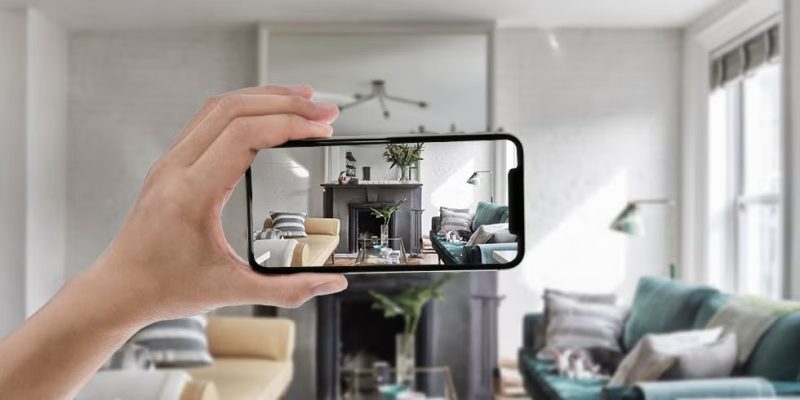
For those specifically interested in transforming their home with IKEA products, the IKEA Place app is an essential tool. This augmented reality (AR) app allows users to place 3D models of IKEA furniture in their real-life space using their smartphone or tablet. By simply pointing your device at the floor or surface where you’d like to place the furniture, you can instantly see how an item will fit in the room, helping you decide whether it complements the existing design and layout. With its vast catalog of products, IKEA Place simplifies the process of planning a room renovation with a more accurate visualization of how new pieces will blend with existing ones.
7. Floorplanner
As the name suggests, Floorplanner specializes in creating floor plans, but it goes far beyond that with 3D visualization capabilities. Users can design both residential and commercial spaces, arranging walls, windows, doors, and furniture to suit their needs. Floorplanner also offers a variety of features that make it suitable for different levels of design expertise, from casual DIY decorators to professional architects. The app allows for multi-story designs, making it a great choice for those with more complex spaces. The ability to share and collaborate on projects makes it an excellent tool for both personal and professional use.
8. Planner 5D
Planner 5D is a user-friendly design app that combines 2D and 3D features for visualizing spaces. It’s ideal for homeowners and designers who want to experiment with different layouts, colors, and textures without needing advanced technical skills. The app allows you to create floor plans, furnish rooms, and view your space in realistic 3D renderings. One of the standout features of Planner 5D is its large, ever-growing library of furniture and decor items, which users can drag and drop into their designs. Whether you’re renovating a single room or an entire house, Planner 5D’s simple interface and realistic results make it a great choice for anyone looking to visualize their design ideas.
9. Roomle
Roomle offers a simple yet effective way to design interiors with a combination of 2D and 3D perspectives. The app’s design tools are intuitive, and users can quickly create floor plans, select furnishings, and adjust layouts. Roomle’s library features a broad selection of furniture and decor options, all of which can be customized to suit your style. The app is also compatible with virtual and augmented reality, allowing you to view your designs in full 3D or superimpose virtual objects into your physical space for an interactive visualization experience.
10. Design Home
Design Home is an engaging app for interior design enthusiasts who enjoy turning their creativity into a virtual experience. Unlike other apps, Design Home is a game where you can compete by designing rooms and spaces based on real-world design challenges. While it may be more for fun than for professional design work, it offers a great way to experiment with different furniture, color schemes, and room layouts. Users can choose from a variety of high-end furniture brands and accessories to style rooms according to different themes and budgets.
Conclusion
The right home design app can make all the difference when it comes to visualizing and planning your dream space. Whether you’re looking for a detailed 3D modeling tool like SketchUp, a furniture-focused app like IKEA Place, or a more user-friendly option like Homestyler or Roomstyler, the choices are plentiful. These apps empower you to experiment with various design elements, such as furniture arrangements, color schemes, and lighting effects, so you can confidently bring your vision to life. With the ease and convenience these apps offer, it has never been simpler to create the perfect living space—whether it’s a small studio apartment or a grand family home.